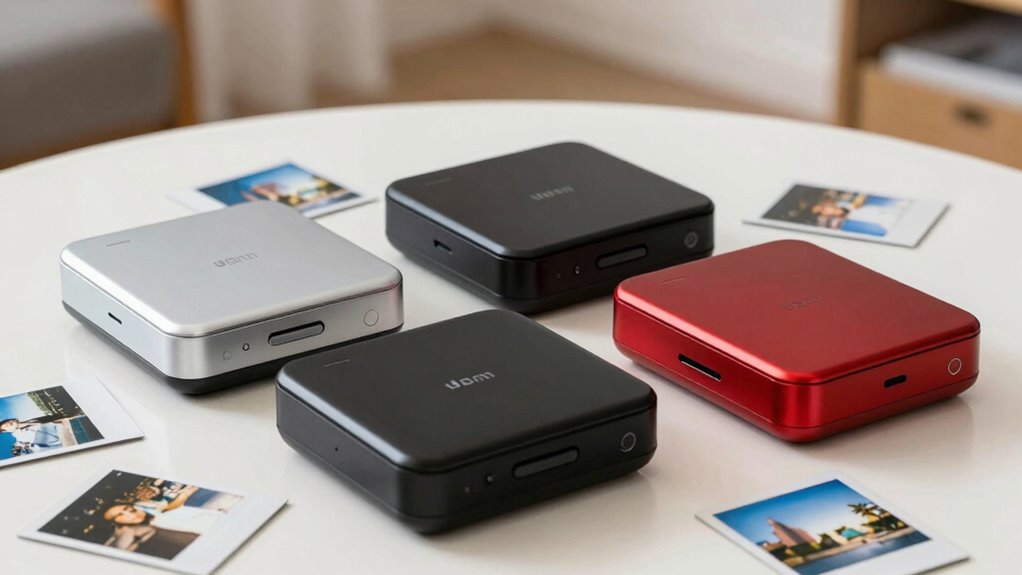
If you want a portable photo printer, the first choice is whether you want full-size 4×6 prints or small photos you can stick into a journal. I’d start with the Liene M100 for larger, durable prints from multiple devices, the KODAK Step for ink-free pocket printing, or the Kodak Mini 2 Retro for compact dye-sublimation photos with a protective finish. The tradeoff is straightforward: 4×6 models take more room and need a steadier setup, while pocket printers travel easily but produce smaller prints and depend on proprietary paper.

Get kitchen staples and gadgets delivered free with Prime
- Fast, free delivery on millions of items
- Prime Video, Amazon Music and more included
- Member-only deals all year
Key Takeaways
- The Liene M100 is the strongest fit for portable 4×6 printing, with a built-in Wi-Fi hotspot and supplies for 100 photos in the box.
- The Kodak Mini 2 Retro is lighter than the other dye-sublimation options here and produces small prints with a protective finish.
- The KODAK Step avoids ink cartridges through ZINK printing, but each photo is limited to 2×3 inches and battery capacity is about 25 prints.
- The Nelko PP01 combines sticky-backed 2×3 photos with a feature-rich editing app, while its inkjet cartridge can clog if left unused.
- The KODAK Dock Plus makes more sense for a powered home or event station than for travel because it needs an outlet.
| Liene M100 4×6″ Photo Printer with 100 Sheets & 3 Cartridges |  | Best Overall for Portable 4×6 Printing | Print size: 4×6 inches | Print technology: Thermal dye sublimation | Connectivity: Built-in Wi-Fi hotspot | VIEW ON AMAZON | See Our Full Breakdown |
| Nelko PP01 Portable Photo Printer, 2×3-inch, White |  | Best for Scrapbooks and Creative Editing | Print technology: Inkjet | Photo size: 2×3 inches | Resolution: 600 DPI | VIEW ON AMAZON | See Our Full Breakdown |
| Kodak Mini 2 Retro Portable Photo Printer, 2 × 3 in, White |  | Best Compact Dye-Sublimation Pick | Printer type: 4PASS dye sublimation | Print size: 2.1 × 3.4 inches | Print resolution: 291 × 300 | VIEW ON AMAZON | See Our Full Breakdown |
| KODAK Dock Plus 4×6 Photo Printer with Smartphone Docking Station |  | Best for a Powered Home or Event Printing Station | Print size: 4×6 inches | Print technology: 4PASS dye sublimation with protective lamination | Connectivity: Bluetooth | VIEW ON AMAZON | See Our Full Breakdown |
| KODAK Step Instant Smartphone Photo Printer, Zink 2×3″ Sticky-Back Photos |  | Best Ink-Free Pocket Printer | Print technology: ZINK (Zero Ink) | Photo size: 2×3 inches (5.1 x 7.5 cm), sticky-back | Connectivity: Bluetooth and NFC | VIEW ON AMAZON | See Our Full Breakdown |
| photo printers portable | Connectivity | Print technology | Compatibility | Print size |
|---|---|---|---|---|
| Liene M100 4×6" Photo Printer | Built-in Wi-Fi hotspot | Thermal dye sublimation | iPhone, Android, PC | 4×6 inches |
| Nelko PP01 Portable Photo Prin | Bluetooth for iOS and Android | Inkjet | — | — |
| Kodak Mini 2 Retro Portable Ph | Bluetooth | — | iOS and Android smartphones | 2.1 × 3.4 inches |
| KODAK Dock Plus 4×6 Photo Prin | Bluetooth | 4PASS dye sublimation with protective lamination | iOS and Android | 4×6 inches |
| KODAK Step Instant Smartphone | Bluetooth and NFC | ZINK (Zero Ink) | iOS and Android | — |
More Details on Our Top Picks
Liene M100 4×6″ Photo Printer with 100 Sheets & 3 Cartridges
The M100 is the most versatile choice here for someone who wants conventional 4×6 snapshots without relying on a home Wi-Fi network. Its built-in hotspot connects phones and PCs directly, and it can support up to five devices, giving it an advantage over the phone-focused Bluetooth pocket printers. The included 100 sheets and three color cartridges also mean a buyer can print a substantial batch before restocking.
Its thermal dye-sublimation process adds a laminated finish intended to resist water, scratches, fingerprints, and fading. That makes the M100 better suited to photos people will handle or display than the smaller sticky-backed prints from the Nelko PP01 or KODAK Step. The compromise is size: although portable, it is less of a pocket companion than either of those options. The app adds borders, filters, and ID photo printing, but smudges call for prompt print-head cleaning, and the cartridge needs a firm click into place to avoid errors.
Pros:- Prints standard 4×6 photos with a laminated, durable finish.
- Built-in Wi-Fi hotspot works without a separate network, cables, or Bluetooth.
- Supports up to five connected devices.
- Comes with 100 sheets and three color cartridges.
Cons:- Bulkier than the pocket printers that make 2×3 photos.
- Print-head smudges need prompt cleaning, and cartridges must be firmly seated.
Best for: Phone or PC owners who want durable 4×6 prints at home, gatherings, or while traveling with room for a larger printer.
Not ideal for: People seeking a pocket-sized printer for tiny sticky-backed prints, or those who want the simplest cartridge-free setup.
- Print size:4×6 inches
- Print technology:Thermal dye sublimation
- Connectivity:Built-in Wi-Fi hotspot
- Included photo paper:100 sheets
- Included cartridges:3 color cartridges
- Simultaneous connections:Up to 5 devices
- Compatibility:iPhone, Android, PC
Our verdict“Choose the M100 when portable 4×6 prints and multi-device access matter more than pocket-size convenience.”
Nelko PP01 Portable Photo Printer, 2×3-inch, White
The PP01 is for buyers who want their printer to work like a small creative tool. Its 2×3 sticky-backed prints suit journals, collages, and event keepsakes, while the Nelko app adds filters, stickers, layouts, and AI editing. Compared with the KODAK Step, it relies on an inkjet cartridge rather than ZINK paper; that means the consumables and maintenance differ, even though both make small adhesive photos from a phone.
At 308g, it is light enough to pack, and its stated 600 DPI resolution and under-90-second print time make it a practical companion for casual batches. The print stock is described as smudge-proof, water-resistant, and tear-resistant. Its weakness is idle time: the cartridge heads can clog if the printer sits unused, so this pick suits regular scrapbookers better than occasional printers. A USB charging cable is included, but buyers need to supply the power adapter, and ongoing proprietary paper and cartridge needs remain part of the ownership equation.
Pros:- Pocket-size design weighs 308g.
- Sticky-backed 2×3 prints are rated smudge-proof, water-resistant, and tear-resistant.
- App includes filters, stickers, collages, and AI editing.
- Prints at 600 DPI, with jobs taking under 90 seconds.
Cons:- Inkjet heads can clog if the printer is unused for long periods.
- Requires proprietary paper and cartridges; power adapter is not included.
Best for: Scrapbookers, journal keepers, and event hosts who value app-based layouts and adhesive-backed photos.
Not ideal for: Infrequent users who may leave an inkjet printer idle for long periods, or anyone wanting 4×6 prints.
- Print technology:Inkjet
- Photo size:2×3 inches
- Resolution:600 DPI
- Weight:308g
- Connectivity:Bluetooth for iOS and Android
- Prints per cartridge:Up to 80 photos
- Print time:Under 90 seconds
- Paper type:Sticky-backed, smudge-proof, water-resistant, tear-resistant
Our verdict“The PP01 is the creative pick for frequent small-format printing, provided you keep it in use and have a charging adapter.”
Kodak Mini 2 Retro Portable Photo Printer, 2 × 3 in, White
Among the small printers, the Mini 2 Retro offers a distinct middle ground: it makes compact prints but uses 4PASS dye sublimation rather than the Nelko PP01’s inkjet method or the Step’s ZINK process. Kodak describes a protective layer that resists fingerprints, water, and fading, making these prints a better match for keepsakes that will be handled. It weighs 255g, lighter than the PP01, and connects to compatible iOS and Android phones over Bluetooth.
Each print takes about 55 seconds, faster than the PP01’s stated under-90-second ceiling, and the box includes four cartridges and 38 sheets to get started. The cost of that compactness is image area: the listed print size is 2.1 × 3.4 inches, far smaller than the Liene M100 or Dock Plus 4×6 format. It is also not a sticky-backed format in the supplied description, so buyers wanting journal-ready adhesive prints may prefer the PP01 or Step. The Mini 2 is a strong portability choice when a durable small photo matters more than standard snapshot size.
Pros:- Compact 255g body is the lightest of the listed dye-sublimation models.
- Protective finish is designed to resist fingerprints, water, and fading.
- Bluetooth printing and editing work through the Kodak app.
- Includes four cartridges and 38 sheets of glossy paper.
Cons:- Small 2.1 × 3.4-inch prints are not a substitute for 4×6 snapshots.
- Prints take about 55 seconds each.
Best for: Travelers who want a lightweight Bluetooth printer for small, protected glossy keepsake photos.
Not ideal for: Buyers who need standard 4×6 photos, sticky-backed paper, or printing without a phone app.
- Printer type:4PASS dye sublimation
- Print size:2.1 × 3.4 inches
- Print resolution:291 × 300
- Connectivity:Bluetooth
- Compatibility:iOS and Android smartphones
- Weight:255g
- Dimensions:3 × 5 × 1 inches
- Included supplies:4 cartridges and 38 sheets
Our verdict“Pick the Mini 2 Retro for compact, protected dye-sublimation prints when small dimensions are acceptable.”
KODAK Dock Plus 4×6 Photo Printer with Smartphone Docking Station
The Dock Plus shares the M100’s 4×6 print size and dye-sublimation approach, but its design points toward a desk, counter, or event table. The integrated smartphone dock charges a phone while printing, and Bluetooth plus the Kodak app keep the workflow simple for iOS and Android users. For a beginner setting up a place to print photos during a gathering, that direct dock-and-print arrangement can be easier to understand than the M100’s Wi-Fi hotspot.
Its 4PASS process adds protective lamination intended to guard against fingerprints, water, and fading, and each print takes about 55 seconds. That speed is convenient for individual photos but can feel slow when a group is waiting for a large batch. More significantly for this roundup, the printer requires a power outlet, which sharply limits travel use compared with the battery-powered KODAK Step or the light Mini 2 Retro. Choose it as a compact home printer that can be moved between rooms, rather than as a printer to carry around all day.
Pros:- Produces standard 4×6 prints with a protective 4PASS finish.
- Integrated dock charges the phone during printing.
- Bluetooth connection and app editing support a straightforward phone workflow.
- Includes 50 sheets to start printing.
Cons:- Requires a power outlet, limiting true on-the-go use.
- Around 55 seconds per print can slow large batches.
- Paper and cartridge replenishment adds an ongoing supply requirement.
Best for: Beginners who want 4×6 phone prints from a fixed home spot or powered event table, with phone charging built into the setup.
Not ideal for: Travelers without reliable outlet access or anyone who needs to print a large batch quickly.
- Print size:4×6 inches
- Print technology:4PASS dye sublimation with protective lamination
- Connectivity:Bluetooth
- Print time:Approximately 55 seconds
- Included sheets:50
- Compatibility:iOS and Android
- Power:Requires a power outlet
Our verdict“The Dock Plus suits a powered printing station, while the M100 is the more flexible 4×6 option to take away from home.”
KODAK Step Instant Smartphone Photo Printer, Zink 2×3″ Sticky-Back Photos
The Step is the simplest match for buyers who want to carry a printer and make small adhesive prints without ink cartridges. Its ZINK technology uses special paper instead of ink, toner, or ribbons, so there is no cartridge to replace or inkjet head to maintain. Bluetooth and NFC offer phone connections, and the built-in rechargeable battery is listed for up to 25 photos per charge. That makes it a more self-contained travel option than the outlet-bound Dock Plus.
Its 2×3 sticky-back photos are designed to resist smudges, tears, and moisture, and the Kodak app supplies filters, stickers, collages, and frames. Against the Nelko PP01, the Step trades the PP01’s listed 600 DPI inkjet output and AI editing for a cartridge-free printing process. Buyers still need proprietary ZINK paper, and the battery capacity puts a ceiling on a day’s printing without a recharge. The small format is useful for journals and labels, but it cannot deliver the fuller snapshot size of the M100 or Dock Plus.
Pros:- ZINK printing needs no ink, toner, or ribbons.
- Compact, lightweight body connects through Bluetooth or NFC.
- Sticky-back prints resist smudges, rips, and moisture.
- App includes filters, stickers, collages, and frames.
Cons:- Prints are limited to 2×3 inches.
- Battery supports up to about 25 photos per charge.
- Requires proprietary ZINK paper.
Best for: Travelers who want a palm-sized printer for occasional adhesive keepsakes and prefer avoiding ink cartridges.
Not ideal for: People who need prints larger than 2×3 inches, long print sessions between charges, or standard photo paper.
- Print technology:ZINK (Zero Ink)
- Photo size:2×3 inches (5.1 x 7.5 cm), sticky-back
- Connectivity:Bluetooth and NFC
- Compatibility:iOS and Android
- Battery:Rechargeable lithium-ion, up to 25 photos per charge
- Weight:Less than 1 lb
- In the box:Printer, Micro USB charging cable, starter ZINK paper, quick start guide, limited warranty
Our verdict“The Step is the easiest pocket pick for ink-free adhesive photos, as long as its small print size and battery limit fit your plans.”

How We Picked
I ranked these printers around the needs implied by portable photo printing: how easily each can print from a phone away from a traditional computer setup, how much space the printer and prints take, and what the buyer gives up for that convenience. Print size matters because 4×6 photos are easier to display as conventional snapshots, while 2×3 prints fit scrapbooks and pockets. I also compared connection methods, print durability, included supplies, and the practical limits described for each model.
The ranking gives weight to the reason someone would carry a printer: the Liene M100 leads for larger prints and multi-device flexibility; pocket models follow according to their distinct advantages in size, print process, and creative use. The Dock Plus ranks lower for portability because it requires an outlet, despite producing 4×6 photos and charging a docked phone. I treat included paper and cartridges as a setup convenience rather than a promise of long-term low running costs. Each pick has a clear use case, along with a drawback that may make another model the better fit.
| photo printers portable | Connectivity | Compatibility |
|---|---|---|
| Liene M100 4×6" Photo Printer | Built-in Wi-Fi hotspot | iPhone, Android, PC |
| Nelko PP01 Portable Photo Prin | Bluetooth for iOS and Android | — |
| Kodak Mini 2 Retro Portable Ph | Bluetooth | iOS and Android smartphones |
| KODAK Dock Plus 4×6 Photo Prin | Bluetooth | iOS and Android |
| KODAK Step Instant Smartphone | Bluetooth and NFC | iOS and Android |
Factors to Consider When Choosing Photo Printers Portable
I’d choose a portable photo printer by matching its print size and printing method to the way I plan to use the photos. These five models split into full-size 4×6 printers and smaller phone-first printers, with different power and supply needs.Choose the print size before the printer
A 4×6 printer like the M100 or Dock Plus produces familiar snapshots for frames and albums. The M100 is easier to take beyond a fixed desk because it uses a built-in Wi-Fi hotspot, while the Dock Plus needs an outlet. Pocket models make photos better suited to journals, scrapbooks, and quick keepsakes: the Mini 2 Retro prints at 2.1 × 3.4 inches, while the PP01 and Step use 2×3 sticky-backed media. If the photo needs to work as a conventional handout, the smaller formats may feel limiting.
Match the print process to your habits
The printing method changes upkeep. The M100, Mini 2 Retro, and Dock Plus use dye sublimation with a protective layer, a good match for handled photos. The PP01 uses inkjet cartridges and can clog if left idle, making regular use helpful. The Step’s ZINK process removes ink cartridges from the workflow, but it still requires its own paper. No method removes the need to replenish supplies, so check what each printer consumes before choosing.
Think about where the printer will run
Bluetooth is convenient for phone-to-printer jobs, as on the Kodak pocket models, PP01, and Dock Plus. The M100’s built-in hotspot has an advantage when printing from several devices or when no separate Wi-Fi network is available. Power also shapes portability: the Step has a rechargeable battery rated for up to 25 prints, whereas the Dock Plus needs an outlet. The supplied information does not list battery details for every model, so buyers planning extended travel should check the specific power needs of their preferred printer.
Account for the whole printing session
Included paper and cartridges help with setup, but they do not describe how many photos you will print over time. The M100 starts with 100 sheets and three cartridges; the Dock Plus includes 50 sheets, and the Mini 2 Retro lists 38 sheets with four cartridges. The PP01 cartridge is described as yielding up to 80 photos. For occasional small prints without ink, the Step is appealing, but proprietary ZINK paper remains necessary. Also weigh print pace: the Mini 2 and Dock Plus take about 55 seconds per photo, while the PP01 is listed at under 90 seconds.
Frequently Asked Questions
Which portable photo printer here makes the largest prints?
The Liene M100 and KODAK Dock Plus both print 4×6-inch photos, substantially larger than the pocket models. The M100 is the more portable of those two based on its built-in hotspot and lack of a stated outlet requirement. The Dock Plus is better suited to a powered spot at home or an event.
Which model is easiest to carry for small prints?
The Kodak Mini 2 Retro is listed at 255g and has a 3 × 5 × 1-inch body, making it the lightest option with stated dimensions and weight. The Step is also designed as a palm-sized travel printer, while the PP01 weighs 308g. Print size, paper type, and power needs still matter alongside the printer’s weight.
Do any of these printers work without ink cartridges?
The KODAK Step uses ZINK, which does not need ink, toner, or ribbons. It prints on proprietary ZINK paper, so supplies are still required. The other models use dye-sublimation cartridges or inkjet cartridges, depending on the printer.
Which portable printer is best for scrapbooking?
The Nelko PP01 or KODAK Step is the closest match because both make 2×3 sticky-backed prints for journals and collages. The PP01 offers inkjet printing and an app with AI editing, filters, and layouts, while the Step avoids ink cartridges. Choose based on whether app tools or a cartridge-free process matters more to you.
Are portable photo printer prints durable?
Durability depends on the printer and paper. The M100, Mini 2 Retro, and Dock Plus describe protective dye-sublimation finishes intended to resist water, fingerprints, scratches, or fading. The Step and PP01 describe resistant properties for their sticky-backed prints. These descriptions are not a guarantee of identical performance, so handle photos according to the paper and printer guidance.
Conclusion
I’d choose the Liene M100 if I wanted portable 4×6 snapshots, broad device compatibility, and a large starter paper bundle. For pocket-size creative prints, I’d pick the Nelko PP01 when app editing and sticky-backed paper are priorities, or the KODAK Step when avoiding ink cartridges matters more. The Kodak Mini 2 Retro suits travelers who favor compact dye-sublimation prints with a protective finish. I’d reserve the KODAK Dock Plus for a powered home or event station where its phone dock and full-size output are useful.