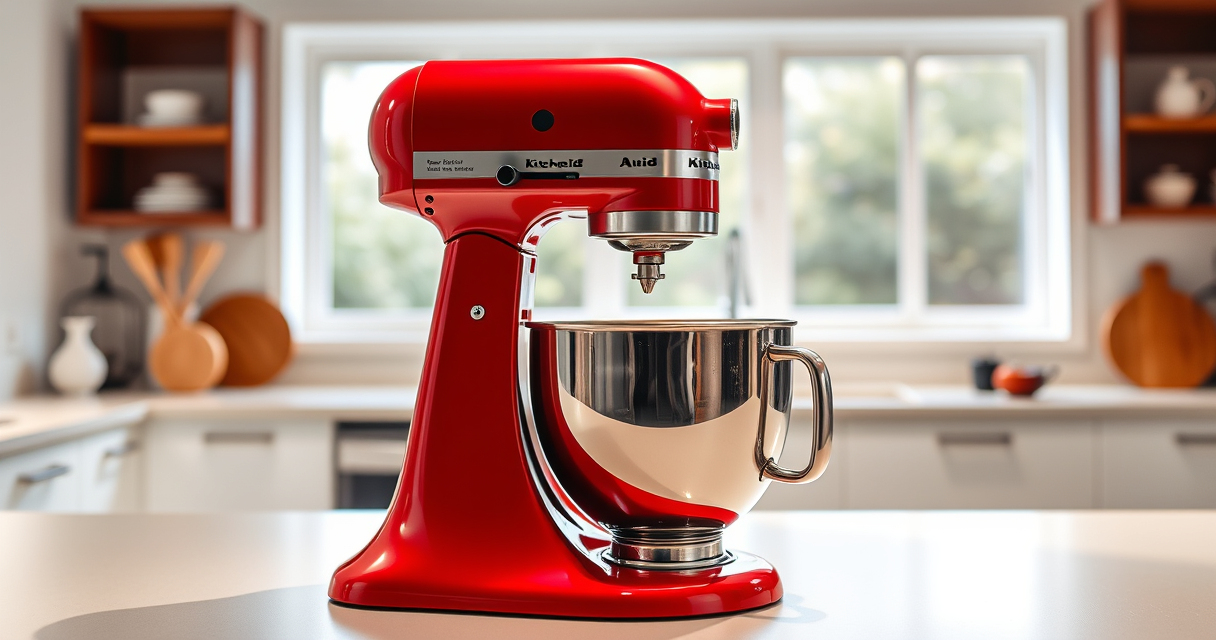

Maintaining your KitchenAid Artisan Series 5 Quart Tilt Head Stand Mixer is key to ensuring it runs smoothly and lasts for years. Regular upkeep not only preserves its shiny appearance but also prevents common issues that can disrupt your baking and cooking routines.

Get kitchen staples and gadgets delivered free with Prime
- Fast, free delivery on millions of items
- Prime Video, Amazon Music and more included
- Member-only deals all year
In this comprehensive guide, you’ll find step-by-step instructions on cleaning, inspecting, and troubleshooting your mixer. Whether you’re a seasoned baker or a casual user, these practical tips will help you keep your mixer in top condition, ensuring every batch is perfect.
Key Takeaways
| Routine Cleaning | Regular cleaning prevents buildup and extends lifespan. |
| Inspect Components | Check for wear and tear on attachments and moving parts. |
| Troubleshooting Basics | Identify and fix common issues like overheating or motor problems. |
| Safe Maintenance | Always disconnect power before servicing your mixer. |
| Using Attachments | Properly clean and store accessories for longevity. |
Cleaning Your KitchenAid Stand Mixer
- Unplug the mixer from the power outlet to ensure safety.
- Remove the bowl, beaters, and any attachments. Wash these parts with warm soapy water or place them in the dishwasher if they are dishwasher safe.
- Wipe down the exterior of the mixer with a soft, damp cloth. Avoid abrasive cleaners that could scratch the metal or paint.
- Use a small brush or compressed air to clean around the touchpoints and motor vents, preventing dust and flour buildup.
- Dry all parts thoroughly before reassembling to prevent rust or corrosion.
Regular cleaning keeps your mixer looking new and functioning efficiently. Pay special attention to the beater and bowl areas, as residue can affect mixing quality.
Inspecting and Maintaining Moving Parts
- Check the tilt-head mechanism for smooth operation. If it feels stiff, apply a small amount of food-grade lubricant to pivot points.
- Inspect the drive shaft and attachments for signs of wear or damage. Replace any broken or worn parts promptly.
- Ensure the bowl lock and tilt-head latch are secure and functioning properly. Tighten any loose screws or parts as needed.
- Look for cracks or chips on the attachments. Replace damaged beaters or whisks to avoid uneven mixing or motor strain.
Proper inspection and maintenance of these parts prevent motor strain and extend the life of your mixer.
Troubleshooting Common Issues
- Mixer Not Turning On: Check the power cord and outlet. Ensure the mixer is properly plugged in and the outlet has power. Test with another device if necessary.
- Motor Overheating: Allow the mixer to cool down if it has been used continuously for an extended period. Clean the ventilation vents to ensure proper airflow.
- Unusual Noises: Inspect attachments and drive components. Loose or damaged parts may cause noise. Tighten or replace as needed.
- Uneven Mixing: Ensure ingredients are added correctly and the bowl is properly seated. Check the beaters for correct attachment alignment.
If problems persist, consult the manufacturer’s troubleshooting guide or contact customer service for professional repair.
Replacing Attachments and Accessories
Over time, attachments like beaters, whisks, or bowls might wear out. Always disconnect the mixer from the power source before replacing accessories. Use genuine KitchenAid attachments to ensure compatibility and safety. Clean attachments after each use to prevent residue buildup, and store them in a dry place. Regularly inspecting and replacing worn accessories helps maintain mixing efficiency and prevents motor strain.
Safety Tips and Warnings
- Always disconnect the mixer before cleaning or servicing to avoid accidental activation.
- Never immerse the motor base in water. Use a damp cloth for cleaning.
- Do not attempt to repair internal electrical components yourself. Contact authorized service centers for repairs.
- Ensure attachments are properly secured before turning on the mixer to prevent accidents.
Following these safety tips helps prevent injuries and damage to your mixer.
The Products in This Guide

KitchenAid Artisan Series 5 Quart Tilt Head Stand Mixer
- ✔ Weight: 26 lbs
- ✔ Dimensions: 14 x 8 x 14 inches
- ✔ Power: 325 watts

KitchenAid Stand Mixer Attachment
- ✔ Weight: 4 lbs
- ✔ Dimensions: 9 x 6 x 4 inches
- ✔ Color: Metal finish
KitchenAid Artisan Series 5 Quart Tilt Head Stand Mixer
The KitchenAid Artisan Series 5 Quart Tilt Head Stand Mixer is built with durable metal construction and features 59 touchpoints for thorough mixing. Its tilt-head design provides easy access for adding ingredients, making it ideal for small and large batches alike.
Pros:
- Robust metal build
- Easy tilt-head access
- Multiple speeds for versatility
- Dishwasher safe bowl
Cons:
- Can be heavy to move
- Requires regular cleaning to prevent buildup
- Limited color options compared to custom models
Best for: Home bakers and cooks needing reliable, versatile mixing power.
Not ideal for: Heavy users requiring commercial-grade durability or larger capacity.
Bottom line: A durable, versatile mixer perfect for everyday baking needs.
KitchenAid Stand Mixer Attachment
This KitchenAid Stand Mixer Food Grinder attachment transforms your mixer into a versatile food processor, perfect for fresh grinding, sausage making, and more. It’s made of sturdy metal and includes multiple grinding plates and sausage stuffer tubes.
Pros:
- Versatile grinding options
- Made of durable metal
- Large food tray
- Easy to clean
Cons:
- Additional cost
- Requires attachment hub
- Needs pre-chilling for best results
Best for: Home cooks who want freshly ground meats and ingredients.
Not ideal for: Users seeking a standalone grinder or commercial-grade equipment.
Bottom line: A robust attachment for fresh, homemade ground ingredients.
Frequently Asked Questions
How often should I clean my KitchenAid mixer?
It’s best to clean your mixer after each use to prevent residue buildup, especially on the bowl, beaters, and attachments.
Can I use my KitchenAid mixer with all attachments?
Most KitchenAid attachments are compatible with the tilt-head models, but always check the specific attachment’s compatibility to ensure proper fit.
What should I do if my mixer is making strange noises?
Turn off and unplug the mixer, inspect attachments and drive components for damage or looseness. Replace or tighten parts as needed.
How do I troubleshoot if my mixer isn’t turning on?
Check the power cord, outlet, and switch. Test with another appliance to confirm outlet function. If issues persist, contact customer service.
Is it safe to wash the mixer bowl and attachments in the dishwasher?
Yes, the stainless steel bowl and many attachments are dishwasher safe. Avoid immersing the motor base in water—clean with a damp cloth.
Keep Your KitchenAid Mixer Running Smoothly
Regular maintenance and troubleshooting are essential to prolong the life of your KitchenAid Artisan Series 5 Quart Tilt Head Stand Mixer. By following proper cleaning routines, inspecting parts periodically, and addressing issues promptly, you ensure your mixer continues to deliver perfect results for years to come. Remember, safety always comes first—disconnect the power before servicing or cleaning your appliance.
Affiliate disclosure: As an Amazon Associate we earn from qualifying purchases. Prices and availability are accurate as of the time of publishing.