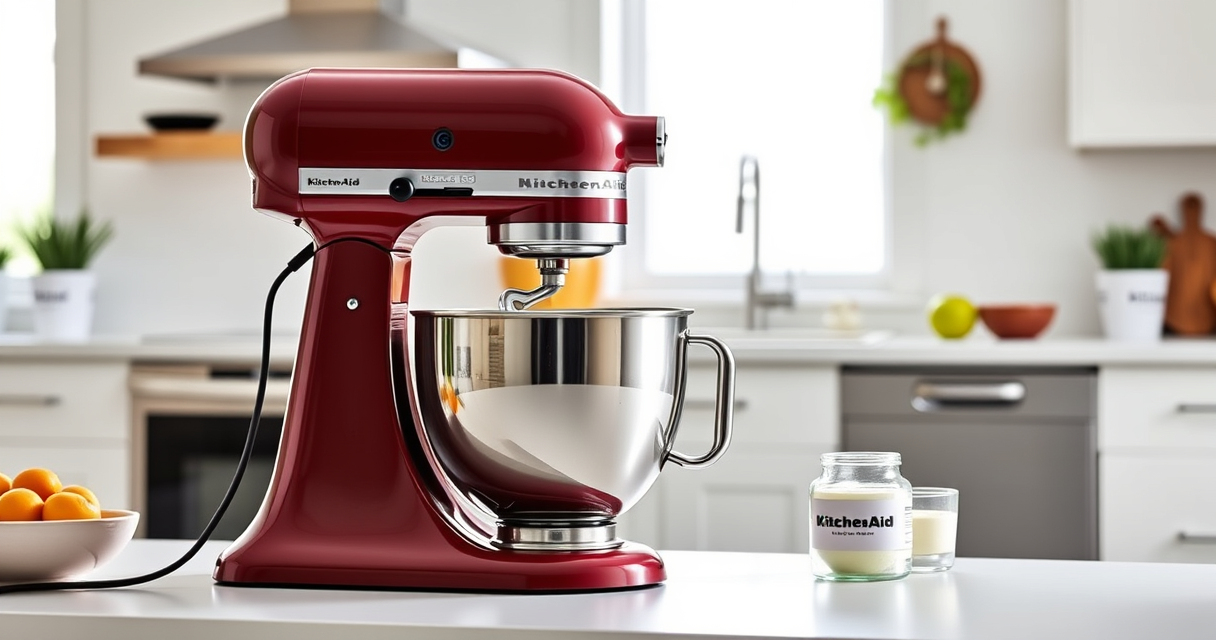

If your KitchenAid Artisan Series 5 Quart Tilt Head Stand Mixer isn’t tilting back as it should, it can hinder your baking process. This guide provides practical, step-by-step troubleshooting tips to identify and fix common issues safely and effectively.

Get kitchen staples and gadgets delivered free — and shop member deals
- Fast, free delivery on millions of items
- Access to Prime Big Deal Days deals on October 6–7
- Prime Video, Amazon Music and more included
Understanding the causes and how to address them can save you time and prevent unnecessary repairs or replacements. Follow these instructions carefully to restore your mixer’s tilt mechanism to working order.
Key Takeaways
| Common Causes | Obstructions or misaligned parts can prevent tilting. |
| Safety First | Always unplug before inspecting or repairing. |
| Step-by-Step Fixes | Follow detailed steps to diagnose and fix the issue. |
| Regular Maintenance | Keep the tilt mechanism clean and lubricated. |
Check for Obstructions
- Unplug your mixer from the power outlet for safety.
- Carefully tilt the head back manually to see if it’s stuck due to debris or build-up.
- Inspect the hinge area for any visible debris, dried dough, or residue that could block movement.
- If you find anything, gently remove it with a soft cloth or brush.
Inspect the Tilt Lock Lever
- With the mixer unplugged, locate the tilt lock lever on the side of the head.
- Ensure the lever isn’t jammed or damaged. It should move freely between the locked and unlocked positions.
- If it feels stiff, apply a small amount of food-safe lubricant or silicone spray to the pivot points.
Check the Hinge and Pivot Points
- Gently move the tilt head back and forth to see if it moves smoothly.
- Examine the hinge pin and pivot areas for signs of wear or damage.
- If the hinge appears misaligned or bent, contact a professional repair service or KitchenAid customer support.
Test and Lubricate
- After cleaning and inspecting, apply a small amount of food-safe lubricant to the hinge area.
- Gently move the tilt head to distribute the lubricant evenly.
- Reconnect the machine, plug it in, and test the tilt function carefully.
Seek Professional Repair
If the tilt head still won’t move after troubleshooting, it may require professional repair or replacement of worn parts. Contact KitchenAid customer support or a certified appliance technician for assistance.
The Products in This Guide

KitchenAid Artisan Series 5 Quart Tilt Head Stand Mixer
- ✔ Power: 325 watts
- ✔ Weight: 26 lbs
- ✔ Dimensions: 14.3 x 8.1 x 14.3 inches

KitchenAid Stand Mixer Attachment
- ✔ Material: Metal
- ✔ Dishwasher Safe: No
- ✔ Weight: 4.5 lbs
KitchenAid Artisan Series 5 Quart Tilt Head Stand Mixer
The KitchenAid Artisan Series 5 Quart Tilt Head Stand Mixer is built with durable metal construction and offers 59 touchpoints for thorough mixing. However, if the tilt mechanism fails, troubleshooting is necessary to restore full functionality.
Pros:
- Durable metal build
- Powerful motor with 10 speeds
- Large 5-quart bowl
- Easy tilt-head access
Cons:
- Tilt head can jam or stick
- Requires regular cleaning
- Potential hinge stiffness
Best for: Bakers needing a reliable, versatile stand mixer for small or large batches
Not ideal for: Users who prefer completely sealed or maintenance-free devices
Bottom line: A sturdy, versatile mixer with occasional tilt head issues that can often be fixed with troubleshooting.
KitchenAid Stand Mixer Attachment
The KitchenAid Metal Food Grinder attachment turns your stand mixer into a powerful food processor for fresh grinding and stuffing, adding versatility to your kitchen.
Pros:
- Easy to attach and use
- Multiple grinding plates included
- Sturdy metal construction
- Large food tray
Cons:
- Requires additional storage space
- Needs cleaning after use
- Not a standalone appliance
Best for: Home cooks wanting to grind meat, vegetables, or make sausages
Not ideal for: Those looking for a dedicated grinder or processing device
Bottom line: Enhances your mixer’s functionality for grinding and food prep tasks.
Frequently Asked Questions
Why won’t my KitchenAid tilt back?
Common reasons include obstructions, dirt build-up, or a stuck lock lever. Inspect the hinge, clean debris, and check the lock mechanism.
Is it safe to force the tilt head?
No. Forcing the tilt head can cause damage. Always troubleshoot and follow proper steps to fix it safely.
How often should I clean the hinge area?
Regular cleaning after every few uses helps prevent build-up that can cause jamming or sticking.
Can I lubricate the hinge myself?
Yes, use a food-safe silicone spray or lubricant sparingly on pivot points, ensuring the mixer is unplugged during application.
Keep Your Mixer Running Smoothly
By following these troubleshooting steps, you can often resolve issues with your KitchenAid tilt head mixer quickly and safely. Regular maintenance and careful inspection will help ensure your mixer remains a reliable kitchen companion for years to come. If problems persist, professional repair is recommended to avoid further damage.
Affiliate disclosure: As an Amazon Associate we earn from qualifying purchases. Prices and availability are accurate as of the time of publishing.
Fall Picks
fall essentials
As an affiliate, we earn on qualifying purchases.